
Visibility & Reporting
See the information behind your decisions.
Management needs more than disconnected updates. Bolisa provides existing freight forwarding reports and supported access to their underlying records, helping authorized users investigate operational and financial information.
Start with the business question
How is the business performing?
Overview
Headline finance, operations, commercial and fleet measures for the period you choose.
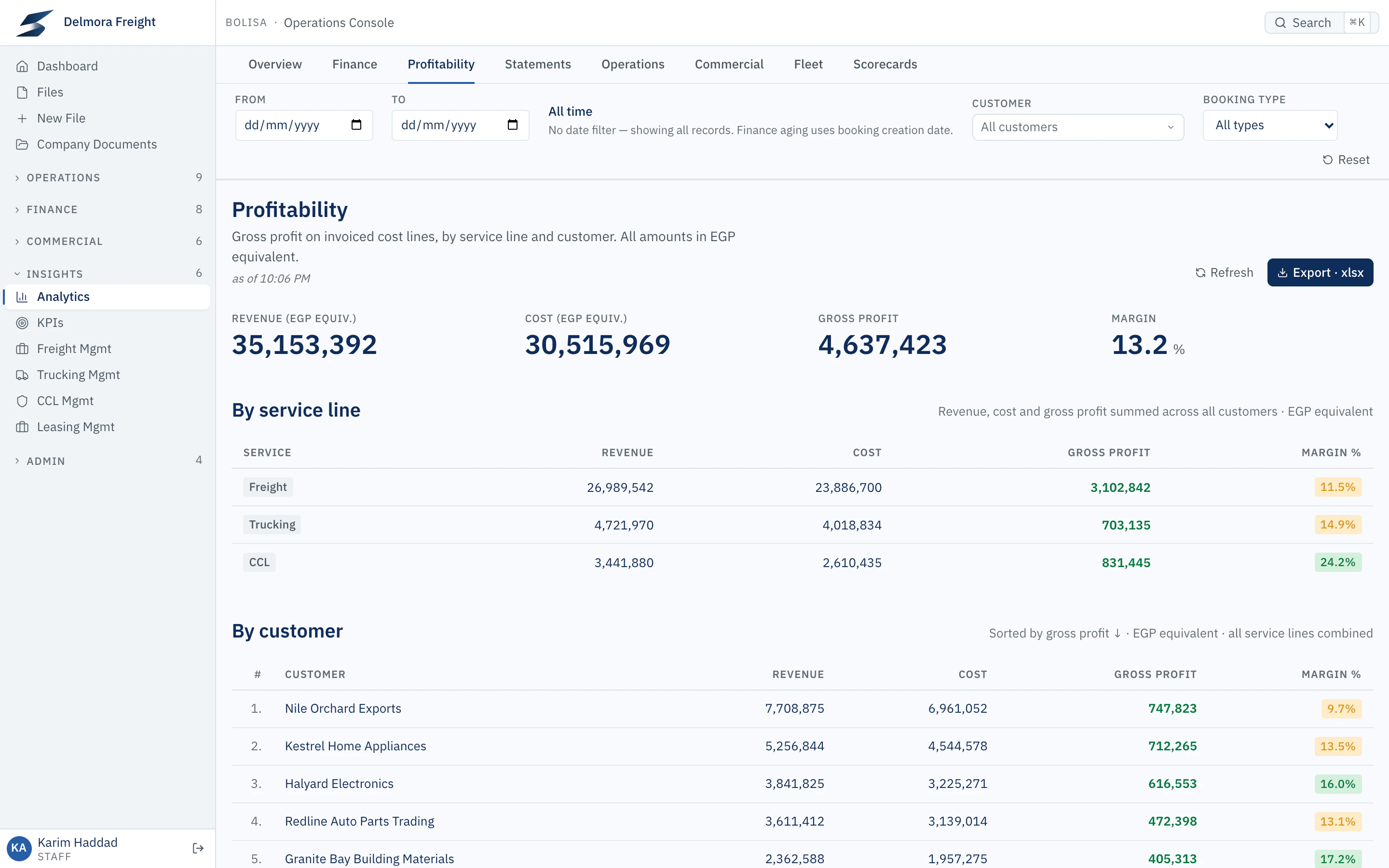
Where are we making money?
Profitability
Revenue, cost, gross profit and margin by service line and by customer, in base-currency equivalent.
What is finished but not yet billed?
Finance
Uninvoiced selling value, and how long finished work has waited to be invoiced, by service and by customer.
Who owes us, and for how long?
Statements
Each customer’s balance aged 1–30, 31–60, 61–90 and 90+ days against their credit limit, with the full statement of account behind it.
What is stuck right now?
Operations
Active work by stage, how long it has waited, and files with no recent update.
Which customers and lanes are growing?
Commercial
Volume by customer, lane, carrier and direction, compared with the previous period.
From the report to the record
Each step below is a real screen in Bolisa, opened from the one before it.
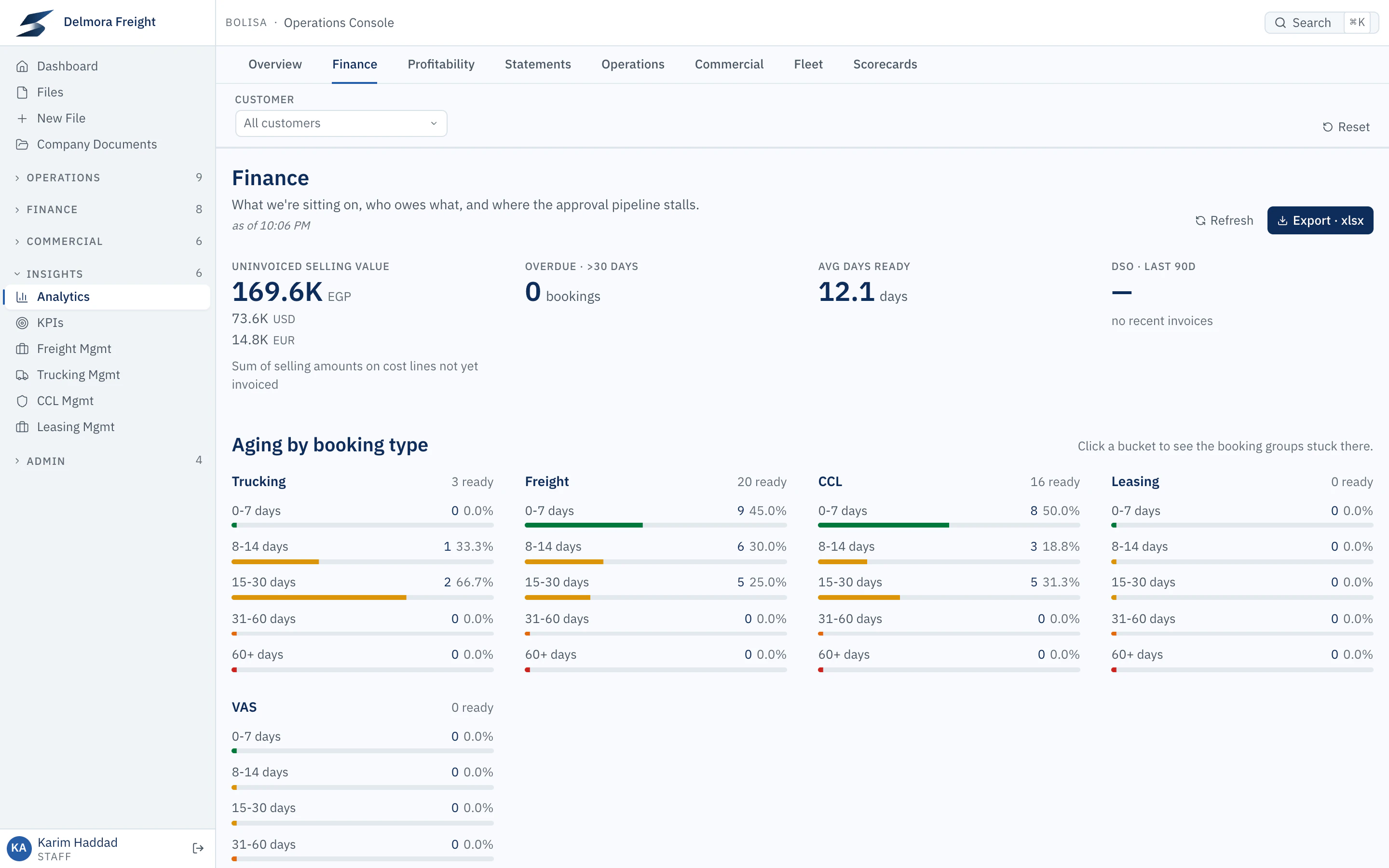
Report
Analytics › Finance
The Finance report summarises what is finished but not yet invoiced, by service.
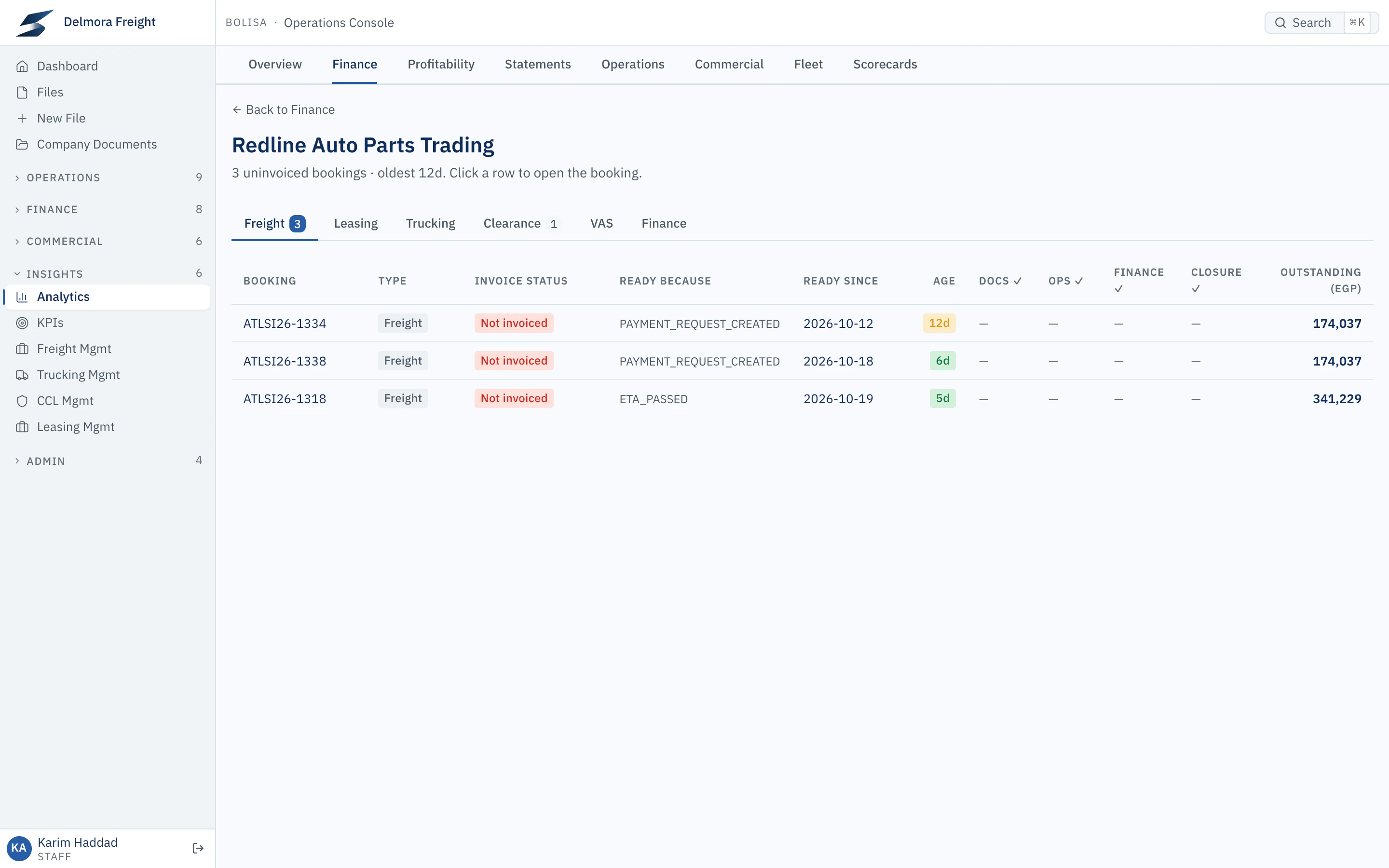
Drilldown
Analytics › Finance › Redline Auto Parts Trading
Selecting a customer lists the files waiting to be invoiced and how long each has waited.
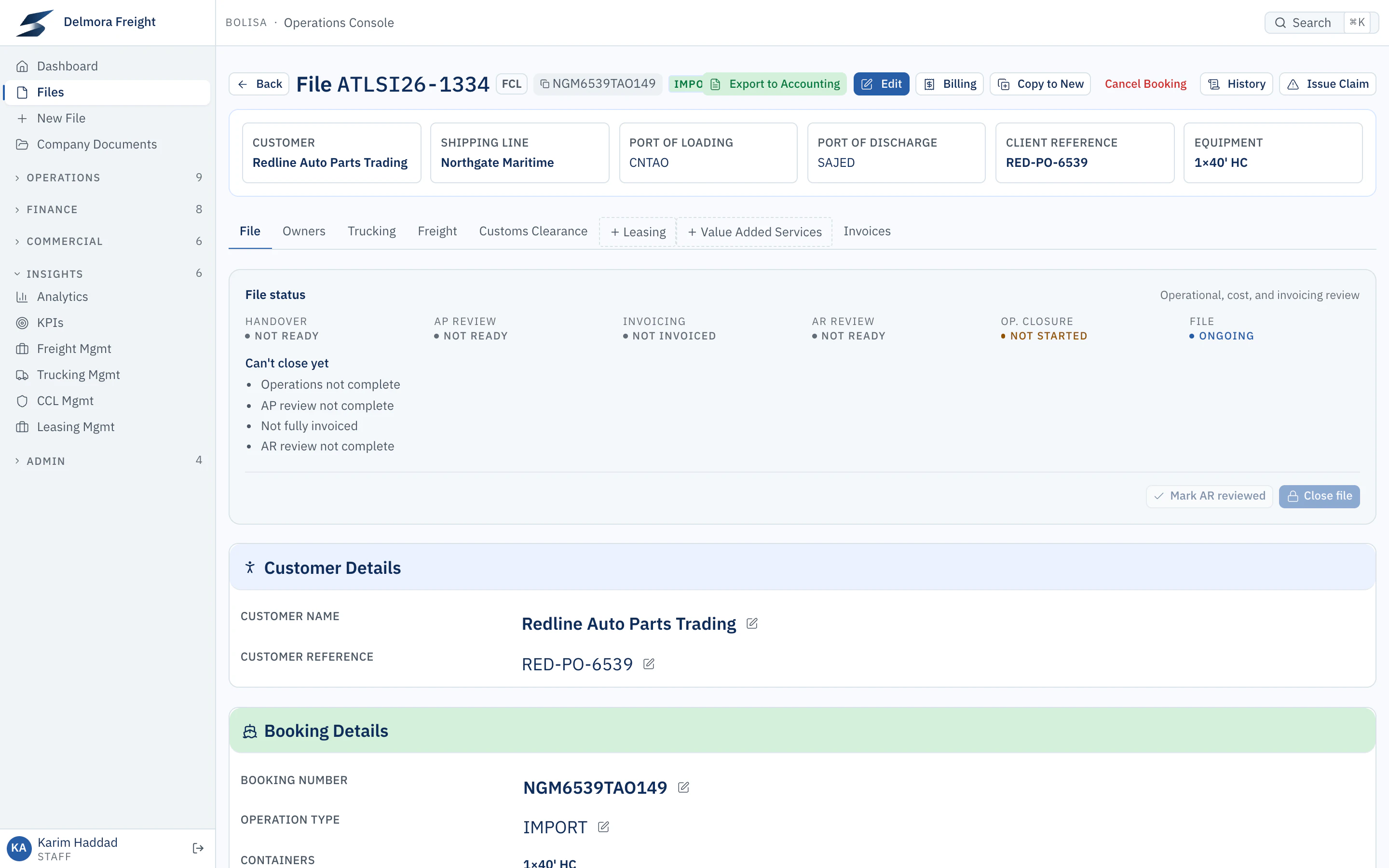
Source record
File ATLSI26-1334
Selecting a file opens the shipment itself, with its reviews and what still blocks closure.
Product interface shown with demonstration data


Dashboards and targets
- Management dashboards
- Each service lead has a working view of their area. Freight shows the actions that can’t wait, team workload, the pipeline and stalled bookings. Trucking shows on-time delivery and invoice readiness by account manager, with the trips behind each figure.
- Performance against targets
- Reports show what happened; scorecards show who is meeting the standard. Assign measures and targets to teams, and follow monthly profit against target.
Visibility follows permissions
Reports and records are available to the people your permissions allow. Finance figures, cost lines and the audit history each need their own access, checked by the server rather than hidden in the screen.
What is available today
- Available
- Predefined freight forwarding reports, record drilldown, statements of account, KPIs and scorecards.
- In development
- A flexible self-service report builder. We discuss its current scope with qualified prospects.
- Planned direction
- Asking questions of your data in plain language. This is a direction we are exploring, not a product capability.
See how Bolisa fits your business.
Tell us about your operations and challenges. We’ll tailor the demonstration to show the workflows, controls, and insights relevant to you.